


When to Clip VS. When to Limit (And Why Order Matters)
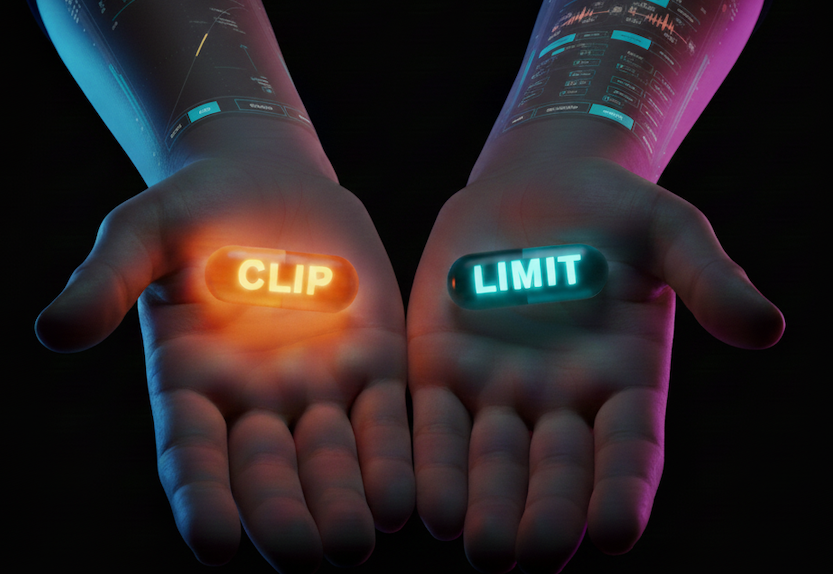
Loudness is just one of those chases...you’re always a little closer than last time, and somehow never quite 'there'. At some point, you might’ve found yourself pushing the limiter harder and harder… but the track somehow gets smaller instead of bigger. Everything is loud, but nothing hits. The kick loses its snap. The snare stops popping. The mix feels tired instead of powerful. That’s usually the moment something clicks:
“Maximum loudness isn't just about what measures loud, it's about what sounds loud.”
— Someone who learned this the hard way
Making it sound loud means we need to maintain perceived dynamics - we need to boost volume, reduce peaks, and trick the ear into thinking that all the dynamics are still there.
Clippers and limiters are both useful for adding loudness because they “control peaks,” but they solve very different problems. Use the wrong one at the wrong time, and you’ll flatten the life right out of your mix. Let’s break it down and listen to what actually happens:
Start With the Truth
Before we touch anything, here’s the untreated mix. It already sounds good. The balance is there. The punch is intact. But it’s not loud yet, and that’s fine. This is the reference point everything else is judged against. If loudness destroys what works here, it’s not an improvement.
What Clipping Actually Does
Clipping is instant. It doesn’t wait, react, or recover. It simply says: “No higher than this.” When the signal tries to spike past the ceiling, a clipper trims the very top of that peak and moves on. That makes it incredibly effective at controlling fast transients, especially kicks and snares, before they trigger heavy gain reduction downstream.
The downside of clipping is that it adds distortion, which you may not want across your whole mix. However, there’s a trick: distortion is mostly audible on steady state and tonal signals, it’s mostly inaudible on fast transient material:
What you hear: | What you don’t hear: |
|
|
Used tastefully, clipping is one of the cleanest ways to manage transients before your limiter ever sees them. Picture trimming a hedge before shaping it. Clip first, and your limiter doesn’t have to do the heavy lifting later.

When Clipping Goes Too Far
Clipping can make things much louder. But push it too hard, and distortion creeps in — especially on sustained or tonal material. Cymbals blur. Low end thickens in the wrong way. Edges start to fuzz.
This is the line clipping walks:
Used lightly → control and density
Used aggressively → distortion and loss of clarity
The takeaway isn’t “don’t clip”; it’s don’t clip everything the same way, or all at once.
So… When Should You Clip?
Clipping is ideal when:
Sharp transients are slamming your limiter
You’re seeing 3–4 dB or more of limiter gain reduction
The kick and snare start shrinking as loudness increases
You want density without compression artifacts
This is where a gentle harmonic clipper like Saturate works beautifully. It teaches you the balance between harmonic distortion vs clipping — letting you shave peaks while adding a bit of analog-style warmth instead of brittle edges. You clip not to be louder — but to make loudness sound better.

What Limiting Actually Does
Limiters don’t add distortion. Instead, they work over time. They look ahead and listen to level changes and apply smooth gain reduction based on attack and release behavior. This is great for overall loudness, but it’s also exactly why limiters become dangerous when overused. Push them too hard, and you start to hear consequences:
Limiting isn’t wrong, it’s just being asked to do too much, too soon...
How Much Is Too Much?
But listen closely:
Transients soften
The groove starts to feel slower
Punch gets traded for loudness
If you hear pumping from the limiter, or if adding drive is making it sound smaller, you’re pushing too hard. Here are some safe starting points, but the number one goal is to use your ears.
When Should You Limit?
Limit once peaks are already controlled and your dynamics still breathe. This is the finishing stage, where something like Elevate can slowly bring the level up without adding distortion or flattening the movement you worked to preserve.
Limiters should be doing:
Final loudness push
Safety for true peak compliance
Final polish
They should not be:
Your transient tamer
Your mix glue
Your only dynamics control
Limiting the Right Way
Try a two stage process, clip peaks first, then limit after.
Once clipping has calmed transients, limiting becomes easy rather than destructive.
Here’s where Elevate shines, lifting overall level across frequency bands while maintaining maximum punch and openness:
Using light multiband limiting, loudness rises while energy stays intact.
Starter Approach:
Place Elevate after your clipper
Start with a transparent preset
Transient emphasis around 20–25%
Increase Gain to target LUFS

How Much Is Too Much?
The goal here is to reduce artifacts. If you hear unwanted distortion from the clipper you’ve gone too far. If you hear pumping from the limiter, or if adding drive is making it sound smaller, you’re pushing too hard. Here are some safe starting points, but the number one goal is to use your ears:
Clipping: 0.5–2 dB max
Limiter GR: 1–3 dB average
True Peak: –1.0 dBTP
A quick check:
Limiter barely moving? → clipping probably unnecessary
Limiter crushing 5 dB+? → share the load with clipping
Extra Credit
Let’s be realistic for a second. The transients that are screwing with your limiter are probably your drums (if you’ve read this far, chances are you’re not mixing classical music). You can clip them right before the limiter, and this is still a good idea. But if you’re really going for competitive loudness in a loud genre you should clip them at the source.
Saturate on your snare
Another Saturate on your kick
Any non tonal element that needs punch can get clipped
This will allow you to tailor the exact amount of punch for each percussive element and loudness at the master stage will get very easy.
Oversampling, Aliasing & Head
Oversampling can reduce digital artifacts — but it may also introduce small peak changes when downsampled, eating into headroom. Listen first.
If edges sound harsh, try oversampling, but always re-check peaks after.
The Simple Mastering Chain
EQ → Clipper → Limiter → Meter
Clean low-end mud with EQ
Trim peaks and add warmth with Clipper
Final loudness shaping with Limiter
Check levels and match by ear
Before you even begin warming the chain, make sure your tonal balance is set: Our guide on EQuivocate dives into matching tone.
In Conclusion
Clipping and limiting aren’t rivals — they’re partners.
Clipping sculpts peaks.
Limiting raises the song into the room.
Use each for what it does best, and loudness stops feeling like a fight. It becomes controlled energy instead.
Clip the peaks.
Warm the mix.
Let the song breathe.
Curious to Try It?
If you want to explore this approach with tools designed around musical loudness instead of brute force:
Saturate helps shape peaks and add warmth without flattening your mix.
Elevate takes care of final loudness while respecting transients.
Hear them for yourself:
Until next time,
David


Great article and useful info. I'm not at all a pro mix engineer, but a volunteer at my Church. I've done exactly this clip then limit on my DAW 2 bus (Master) for some time.
I actually have clipping then limiting as my last 2 effects on the 2 bus. I do have an SSL G3 glue compressor and UAD Pultec EQ before these. Clipper is Schwabe Digital Gold Clip doing about 1-3 dB shaving the transients then into Newfangled Elevate as the limiter only doing up to 3 dB gain reduction. This gets me to an output of about -9 LUFS.